

Analysis
Review an automation opportunity
Which manual tasks are worth automating? We examine one workflow involving up to three applications and assess benefits, effort and ongoing costs.
We implement one recurring workflow with n8n, Zapier or Make: up to three applications, one trigger and a clearly defined outcome.
Your enquiry is non-binding. An order is created only when you accept our quotation .


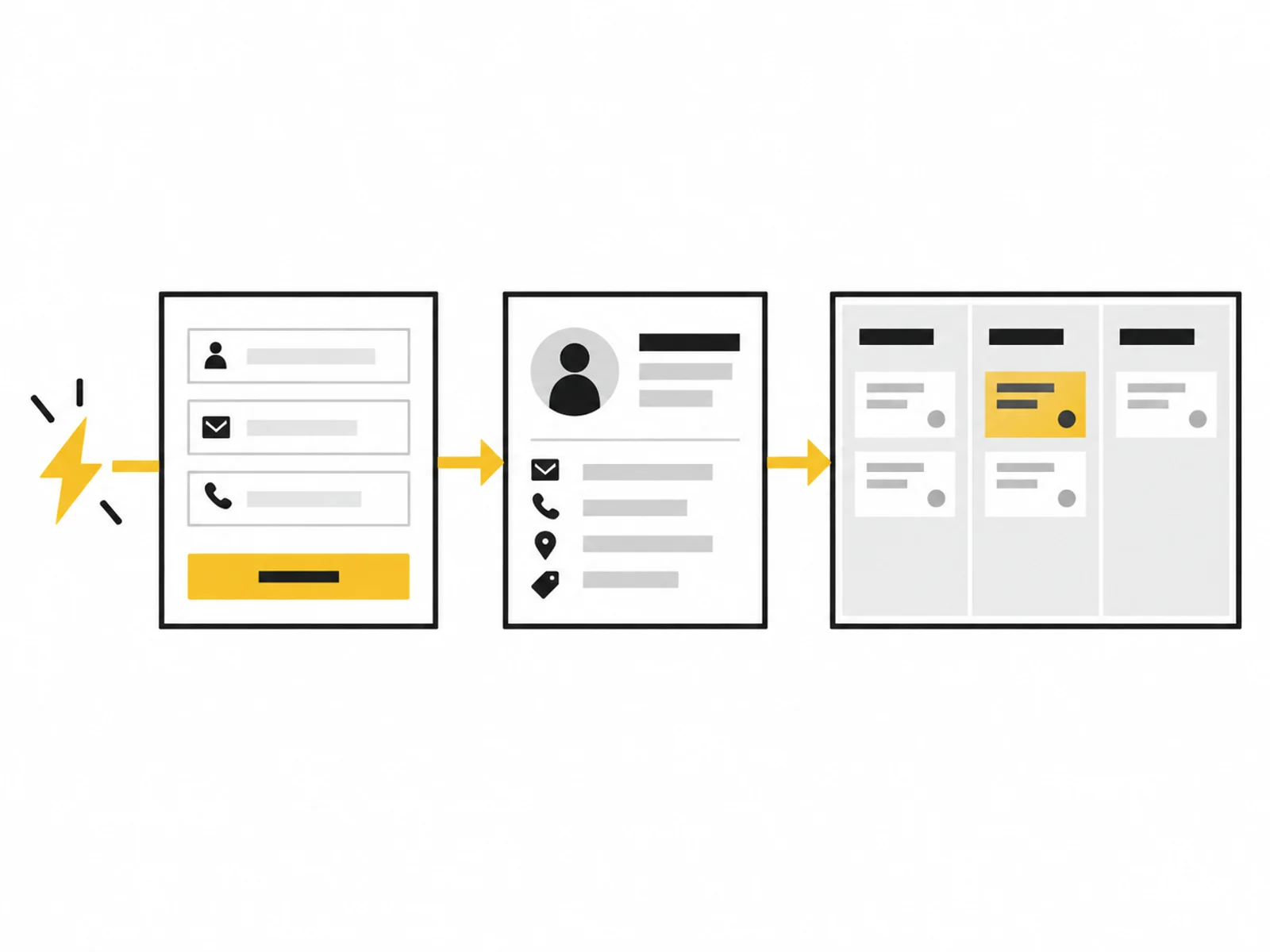



Image 1 of 4
A form can send a message yet still create manual work. Contact details must be transferred, responsibilities clarified and tasks created. We connect these steps in an agreed flow so a valid enquiry triggers what your team needs.
The package starts with a known process. We define when it starts, which data it uses and what successful completion means. Missing required details or an unavailable application must leave the case findable. Such situations belong to implementation.
The workflow is set up in an account you control or an agreed environment. Existing n8n, Zapier or Make solutions can be used where required actions are available. Selection is confirmed beforehand; changing platforms is not a goal in itself.
We test normal input, missing values, duplicate events and failure of a participating service. Whether retrying is safe depends on the action: catching up on a task differs from repeating an already triggered booking. Handover therefore explains when intervention is needed.
The website already collects necessary details. We agree their destination mapping before connecting transfer to a real customer process.
Project folders, internal tasks and responsibilities are recreated repeatedly. A confirmed status can trigger this clearly described preparation.
A record may be incomplete or a connection fail. The flow should visibly hold the case for review and notify the responsible person.
We describe the trigger, field mapping and intended exceptions. We confirm which accounts and plans support the required actions.
The workflow is built with anonymised examples or test records. We check each handover and record which actions change data or trigger messages.
After joint review, the agreed operation is approved. You receive settings, test cases and error-handling instructions; additional flows are agreed separately.

Handover includes a simple control process: where do you see completed runs, how do you recognise an error and who decides on retrying? These questions should remain answerable by someone covering the role later.
New fields, different systems or additional branches change workflow scope. Separate support can be requested for ongoing checks and agreed corrections.
Describe a typical run: what triggers it, which programs are involved and when is it finished? An example without personal data is enough to begin.
Note exceptions, approximate frequency and the responsible person. Credentials, real customer messages and confidential documents do not belong in the enquiry form.
What is included, what do you need and what happens after your enquiry?
The process in detail →No. Required plans, hosting and usage-based costs are identified before commissioning and remain separate from setup pricing.
If process, systems and rules are already clear, no preceding assessment is required. We assess suitability using your written details.
Yes, if permissions, plan and required functions fit. Account ownership and access are agreed beforehand; secrets must not go in the enquiry form.
We agree a notification and permitted retry path for that failure. Specific options depend on the platform and actions involved.
Handover and one written follow-up round are included. Permanent monitoring and later adjustments require their own time-limited, defined commission.
We confirm the start and delivery deadline in writing after reviewing your documents. The agreed scope and complete source data determine the schedule.
A written process with clear rules and a responsible person Suitable accounts and available APIs for the applications involved Credentials must not be included in the enquiry. Details are agreed only after written commissioning.
One written follow-up round is included. The service scope lists the analyses, designs or technical changes covered by the package. We agree additional work with you before it begins.
Count recurring work, deduct checking and exceptions, and include setup and operation. An example for n8n, Make, Zapier and AI workflows.
Read the guide ↗Which manual tasks are worth automating? We examine one workflow involving up to three applications and assess benefits, effort and ongoing costs.
Review and make limited improvements to up to three existing workflows over four weeks, with a fixed time allowance, named responsibilities and documented changes.