

Implementation
Integrate accounts and permissions
Add sign-in and defined access for up to three roles to an existing application, including account recovery and permission checks.
Give customers protected access to their own cases and approved documents through a defined portal with clear roles.
Your enquiry is non-binding. An order is created only when you accept our quotation .


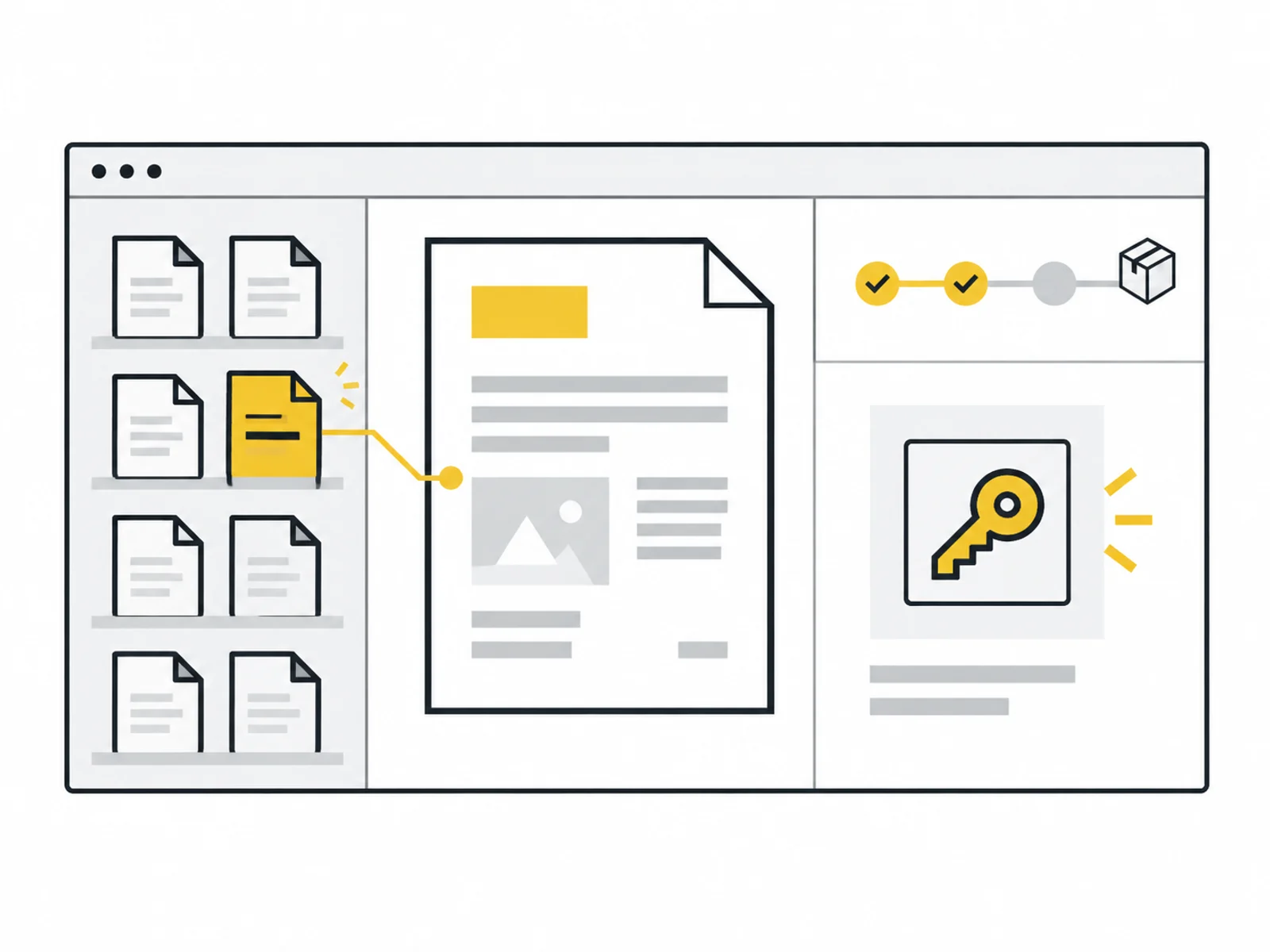



Image 1 of 4
After signing in, customers see their case statuses and approved documents. We develop the interface, access and required backend logic as one connected flow.
Before starting, we clarify who maintains statuses and documents and where details come from. Customers may see only their own approved data. We implement agreed maintenance functions for internal staff.
Visible status must make sense to customers. An internal label such as ‘Phase 4’ rarely helps. We define displayed steps and information remaining internal. Existing systems connect only through the agreed data path.
Access protection is checked server-side. Guessing a case number must not open someone else's record. Tests therefore use different customers and roles. Uploads and extensive document management are excluded from the base package; approved document links with appropriate access are included.
Customers need the same information repeatedly. A portal can expose a defined section if statuses and ownership are maintained reliably.
An existing system may provide the foundation. We check access and limit fields actually displayed in the portal.
You first need a manageable starting point. The package focuses on own cases and document links rather than rebuilding a complete CRM.
We define up to five views, visible information and two roles. Source and maintenance ownership are clarified before implementation.
Sign-in, access and status display are implemented as one flow. Customer views and internal maintenance receive clearly separated permissions.
Tests examine own and foreign cases and agreed flows. Test deployment and documentation identify required accounts and operational tasks.

The project package includes frontend and backend components required for this scope. Account or API work for the same portal area should not be requested twice.
A portal displays the maintained process state. It does not automatically manage projects or replace responsibility for timely updates.
Describe the intended function and an example of a successful process. Name existing systems and the roles involved without sharing real customer data or credentials.
After your enquiry, we clarify which data the function processes, which rules it must follow and which systems it must contact. Required documents and test access are agreed separately.
What is included, what do you need and what happens after your enquiry?
The process in detail →Yes, where needed for the described portal. Additional independent account or API packages are normally unnecessary for the same part.
Open uploads are outside the base package. Types, access, sizes, checks and retention would need separate functional scope.
A suitable existing data area may be used. The actual API and limits are checked first; complex multi-system integration adds scope.
Only if orders are the agreed case type and a reliable source exists. Enquiries are not automatically shown as orders or paid commissions.
No. Hosting, provider fees and later support remain separate. Handover describes configuration and ownership required for operation.
We confirm the start and delivery deadline in writing after reviewing your documents. The agreed scope and complete source data determine the schedule.
Defined cases, statuses and data ownership Approved content, role rules and suitable hosting or provider accounts Credentials must not be included in the enquiry. Details are agreed only after written commissioning.
One written follow-up round is included. The service scope lists the analyses, designs or technical changes covered by the package. We agree additional work with you before it begins.
From repair status to document links: define which data customers may see, who maintains it and how to test access boundaries.
Read the guide ↗Add sign-in and defined access for up to three roles to an existing application, including account recovery and permission checks.

Turn one recurring internal process into a small web application, with shared data and clear responsibilities.