PLOX
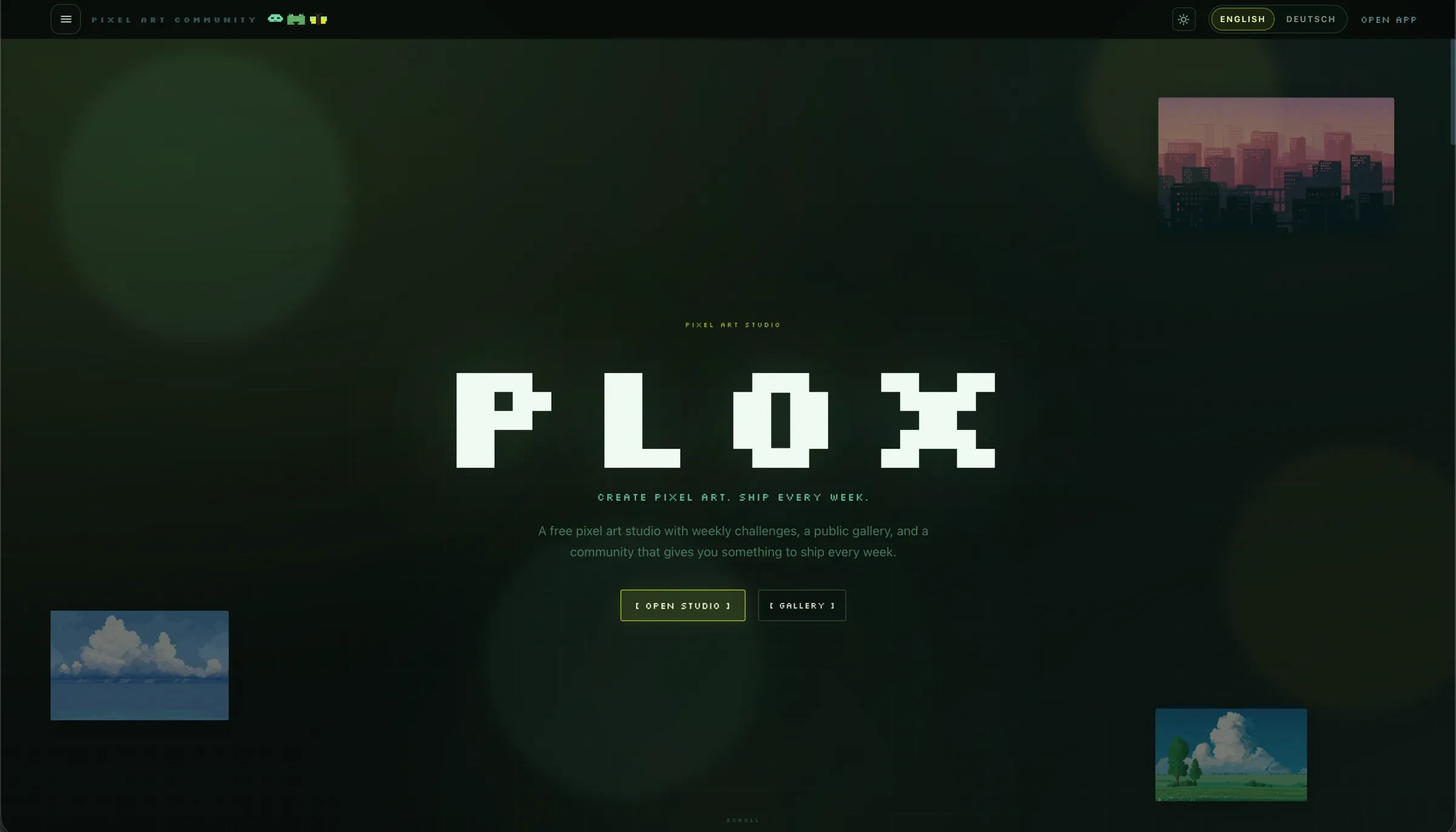
PLOX is our own pixel-art product: an editor with a gallery, profiles and challenges. We design and build the workflow from drawing and animating in the studio to publishing within the community.
- Challenge
- Draw and animate pixel art, publish work and discover other artists.
- Our contribution
- Product model, UX and interface, plus development of the public website, studio and shared API.
- Result
- A pixel-art studio linked directly to the gallery, profiles and challenges.
Separate spaces for discovery and creation
The gallery is for discovery; the studio is for making work. PLOX provides a public website and a dedicated editor for these tasks. Accounts, projects and publishing connect the two interfaces.
Drawing and animation tools within reach
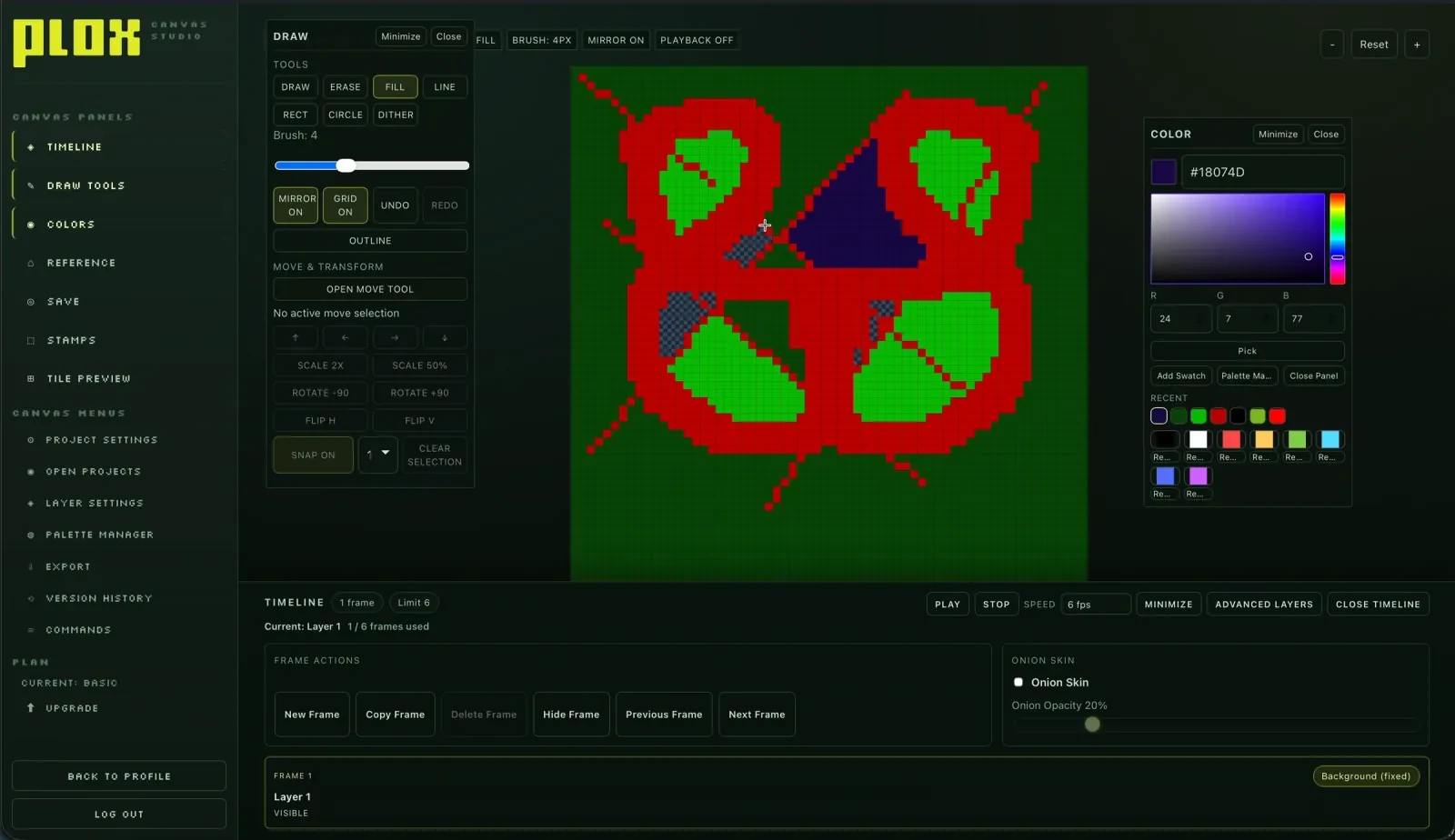
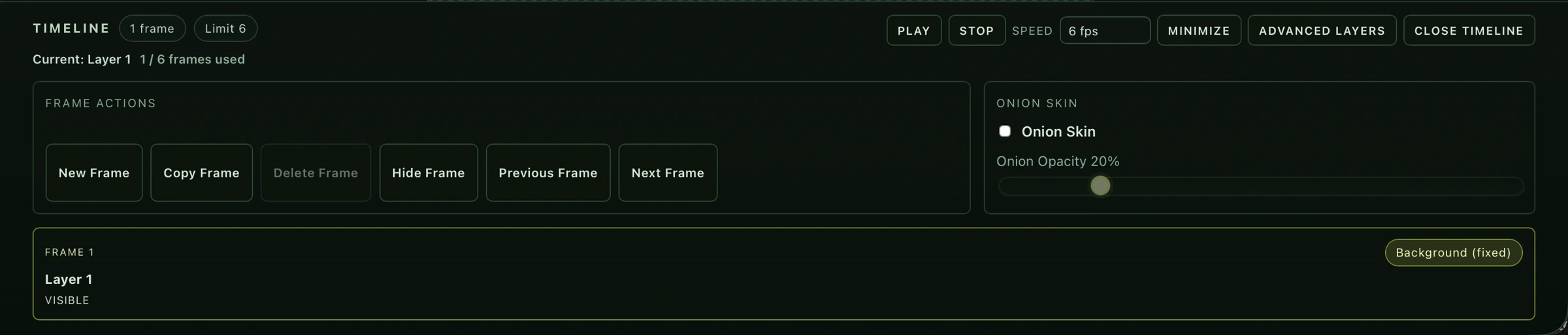
The canvas, colours, references and layers have fixed places in the studio. The timeline controls frames and animation. Visible tools help people get started, while shortcuts and a command palette offer faster routes for experienced users.
Publishing as part of the creative process
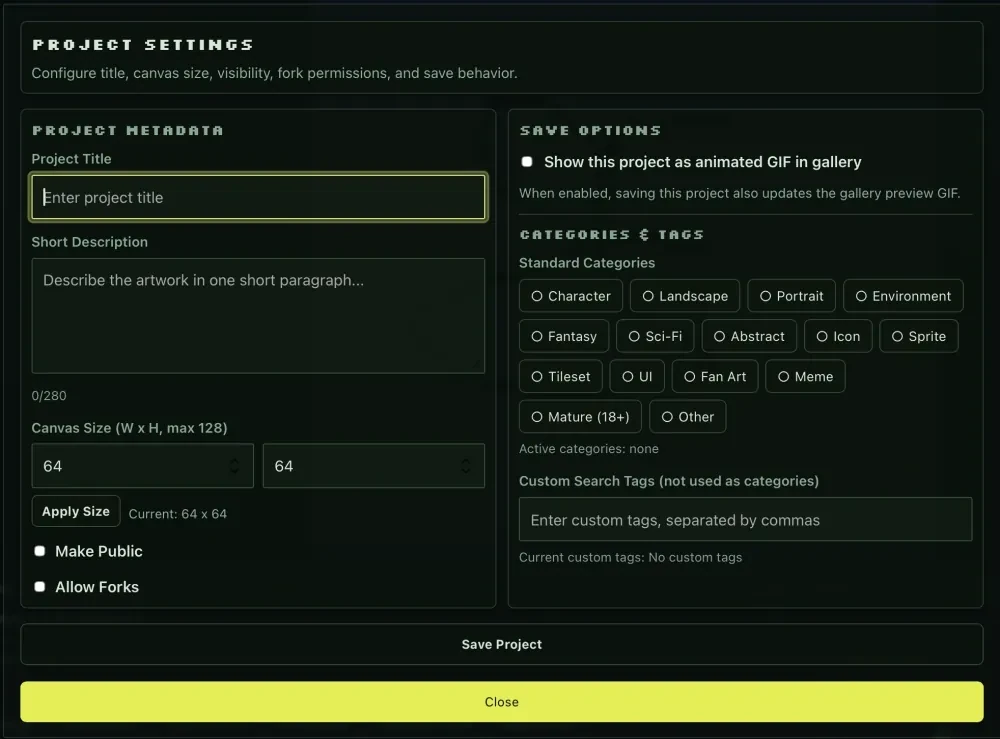
Saving a work includes its title, description, size, visibility and permissions. An animated preview carries the result into the gallery. Profiles and challenges give it a place within the community.
From the first image to an animation
Core drawing and colour tools sit close to the canvas. Reference images and layers support drawing, while frame controls lead into animation. The arrangement stays familiar as people switch between these tasks.
Onion skinning displays neighbouring frames. Opacity controls determine how clearly they appear alongside the current image. Artists can assess and continue a movement directly on the canvas.
One data model for the community
Private projects, public artwork and reused works need different states and permissions. The shared API manages these relationships alongside accounts, challenges and moderation. Gallery and studio use the same project information.
Next.js serves the public website, and React powers the editor. Node with Express provides the shared API; Supabase with Postgres stores product data. Shared types keep the data structure consistent across the applications.
Product design and delivery together
Docker Compose defines the local environment. Caddy brings the website, studio and API together as separate services. The interfaces can evolve separately while staying connected through the shared API.
Saving, visibility and resuming work are part of the creative process. The editor needs to make these transitions as clear as its drawing tools. The designed workflow extends from starting an image to sharing the finished work.
Inside the project
Design and technology in context.
Next.js, React, Node and Express with Supabase/Postgres; Docker Compose and Caddy for the shared environment. Product design connects the editor, gallery and community features.
Planning something similar?
Tell us about your project. Together, we can work out where our design and development skills can support your team.
Discuss a similar project