KQs
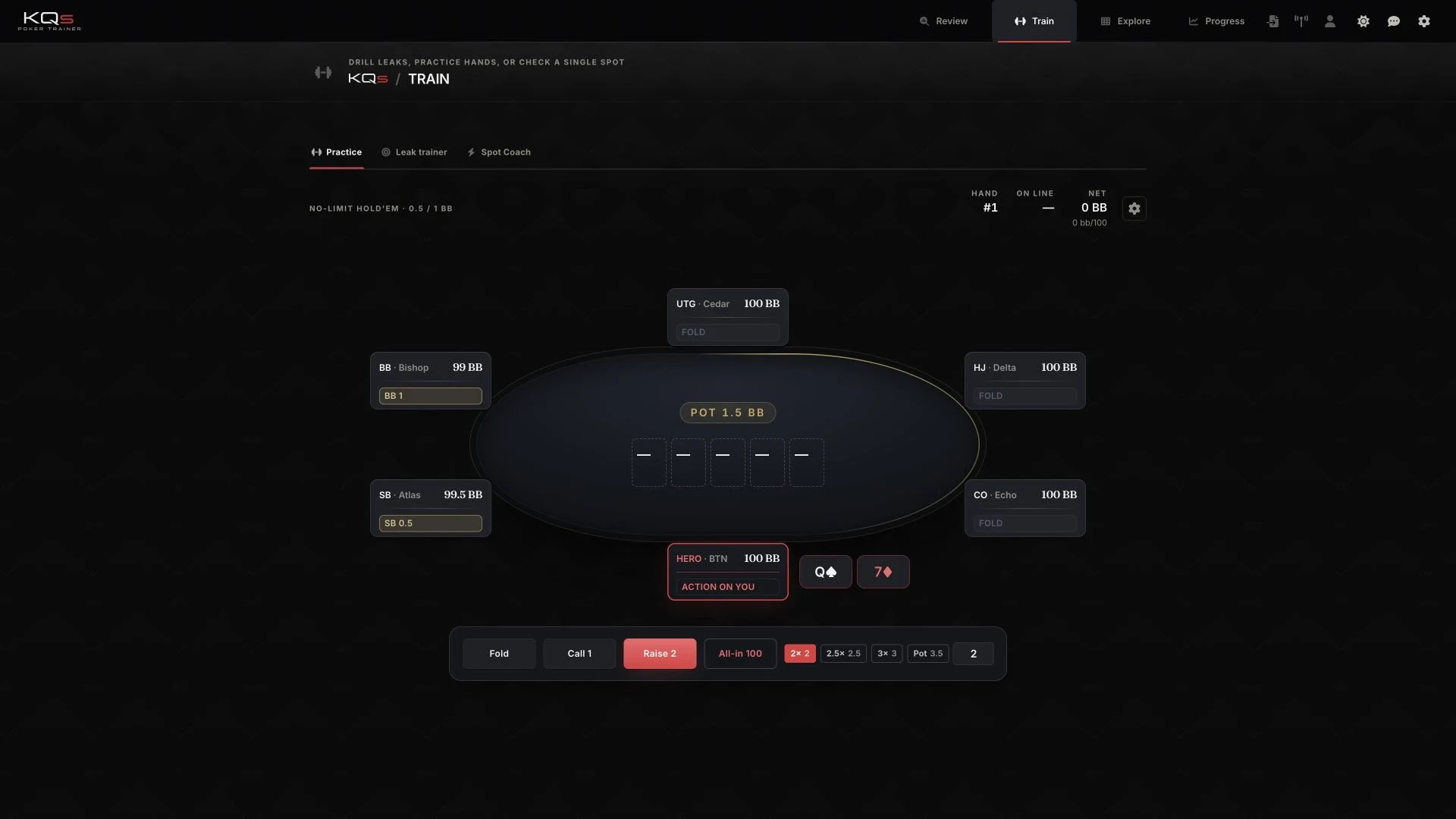
KQs is our own product for poker review and training. It connects played-hand imports with analysis and exercises. We design the workflow and technical foundation so recommendations can be traced to their data and references.
- Challenge
- Import played hands, examine decisions and practise relevant situations again.
- Our contribution
- Product concept, UX, interface, data model, and web and desktop development for our own product.
- Result
- A connected journey from local hand import through review to a training session.
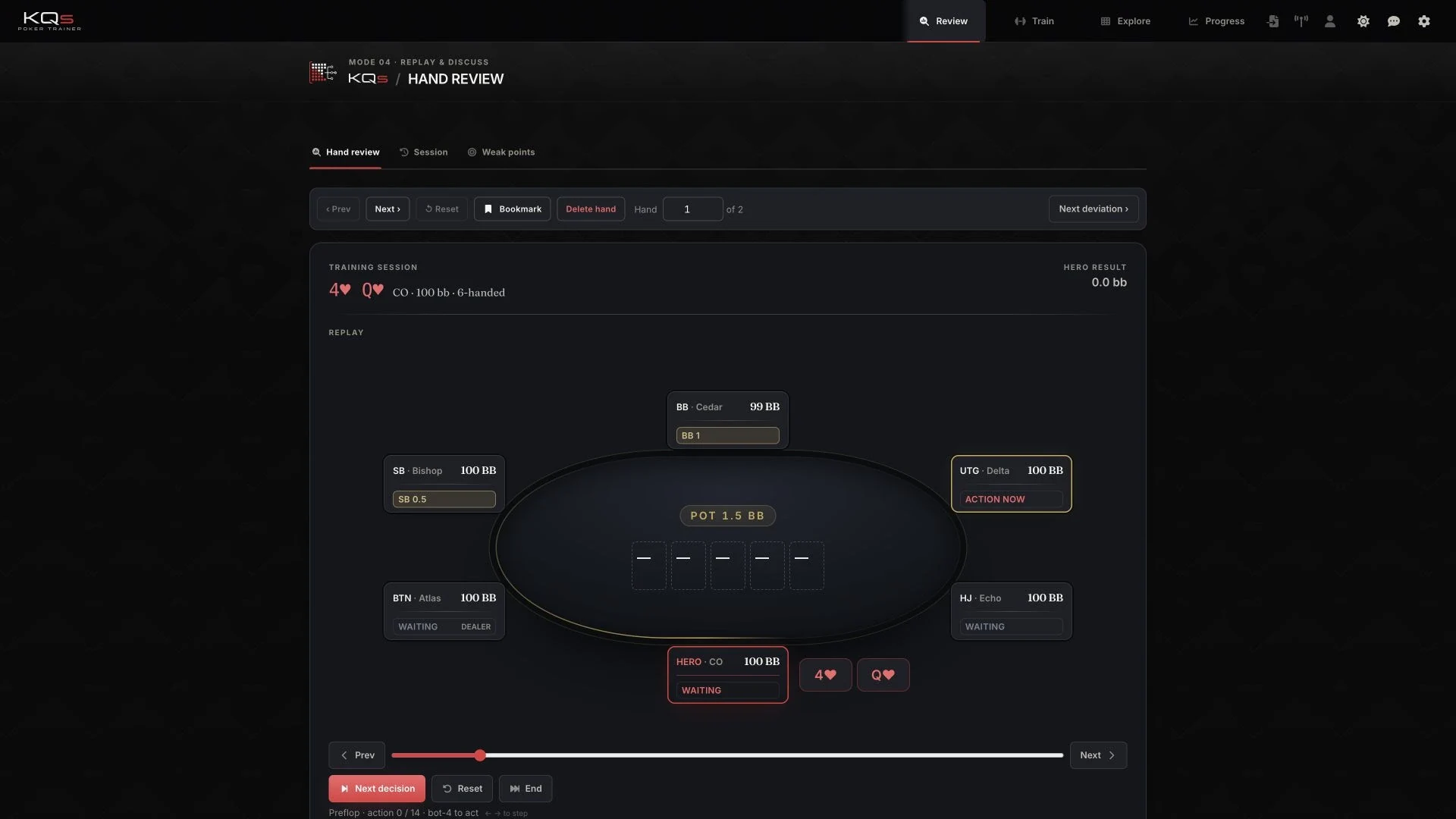
Each hand stays traceable
Import, review and training use the same record of positions, stacks and action sequence so an analysis can be traced back to the hand that was played. An exercise created from it retains its connection to the original situation rather than appearing as an isolated recommendation.
The basis of a recommendation
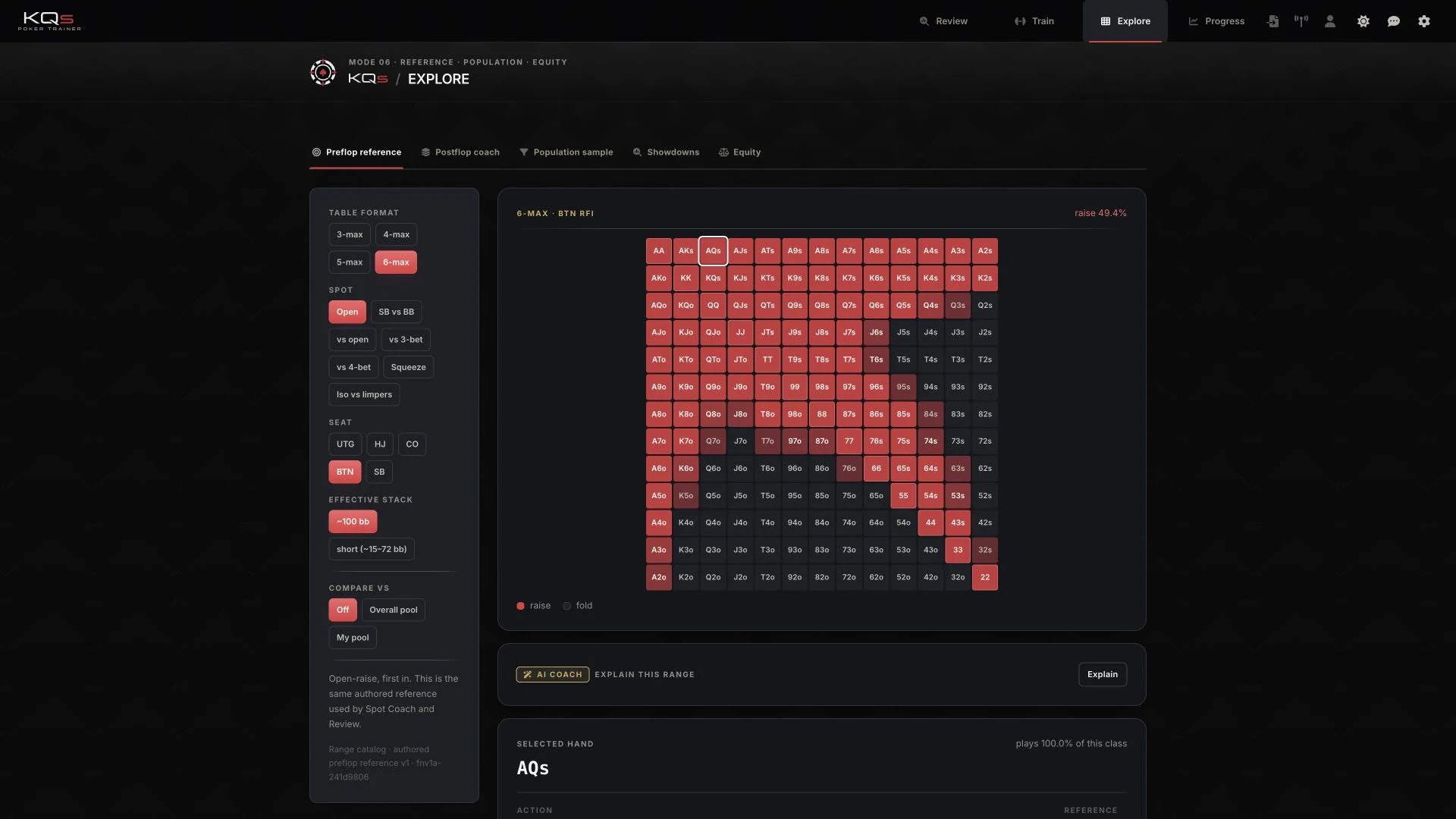
An assessment is only understandable when its basis is visible. The interface therefore distinguishes observed behaviour, model assumptions and calculated references while accounting for sample size. Explore, Review and Spot Coach all use the same range references.
Local hands and a shared web interface
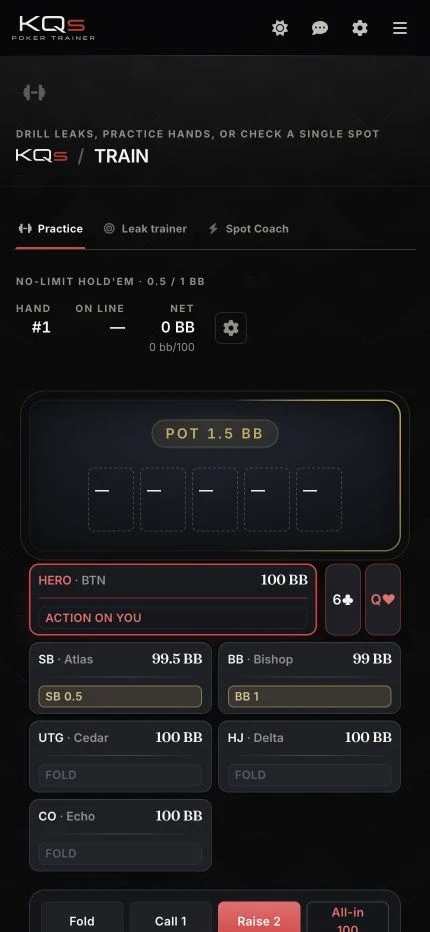
The desktop app uses Tauri to read local folders and stores data in SQLite, while Supabase connects accounts and private training data to the web interface. Both views share a product structure that the responsive interface also makes accessible on smaller screens.
From text import to a dependable data model
Examining a poker decision requires the sequence leading to the result, not just the outcome. KQs reads positions, stacks and actions from the PokerStars hand history into a shared HandRecord, retaining the hand ID and source. Bet sizes are normalised to big blinds for comparison, while currency and stakes are kept as additional information.
The same model supports file imports and watched folders while distinguishing training hands and manual entries. Existing session identifiers are retained; for older hands without an assignment, a break in play is used to separate sessions. The review therefore preserves the playing context of a hand.
Frequency in relation to opportunity
Ten deviations in twelve relevant situations mean something different from ten in two hundred, so an event count alone is not enough for assessment. KQs stores opportunities and example hands alongside observed actions, allowing position, situation and actual opportunities to be considered together.
With fewer than 50 observed hands, the interface hides derived rates and their labels because an early sample should not be presented as an established playing style. We built this decision into both the data model and presentation so the visible assessment reflects the available evidence.
Shared references for review and training
In the Range Explorer, position, table size and stack depth determine the reference shown. The matrix displays the stored action frequencies also used by Review and Spot Coach. A change in playing context therefore changes both the view and the basis for assessment.
A situation identified in review can be taken directly into an exercise, and the resulting training session can later be examined in review. This connects the analysis of a decision with another opportunity to practise it and preserves the exercise history for further examination.
Local and cross-device work in one application
The desktop app starts where the played hands are stored: in local files. Tauri connects folder access, the tray and app lifecycle to the Next.js application, while Rust handles native tasks and a bundled Node sidecar serves the application. SQLite stores data in the app directory, separate from the installation.
Desktop and web share TypeScript product logic and use Supabase for accounts and private training data. Offline-calculated CFR+ artifacts provide additional references for selected analysis spots. The architecture keeps their calculation, observed play data and visible recommendations distinct so the origin of an assessment remains traceable.
Inside the project
Design and technology in context.
Next.js and TypeScript for shared product logic; Tauri and Rust for the desktop shell, SQLite for local data, and Supabase for accounts and cross-device data.
Visit websitePlanning something similar?
Tell us about your project. Together, we can work out where our design and development skills can support your team.
Discuss a similar project