
Analysis
Technology and stack review
Do you really need a rebuild? We review an application's structure and explain what to keep or change.
US$1,549.00
Total price · one-offVAT-exempt under section 19 of the German VAT Act
Connect systems, set up servers and organise technical operations.
Do you really need a rebuild? We review an application's structure and explain what to keep or change.
Questions to settle before launching an AI prototype.
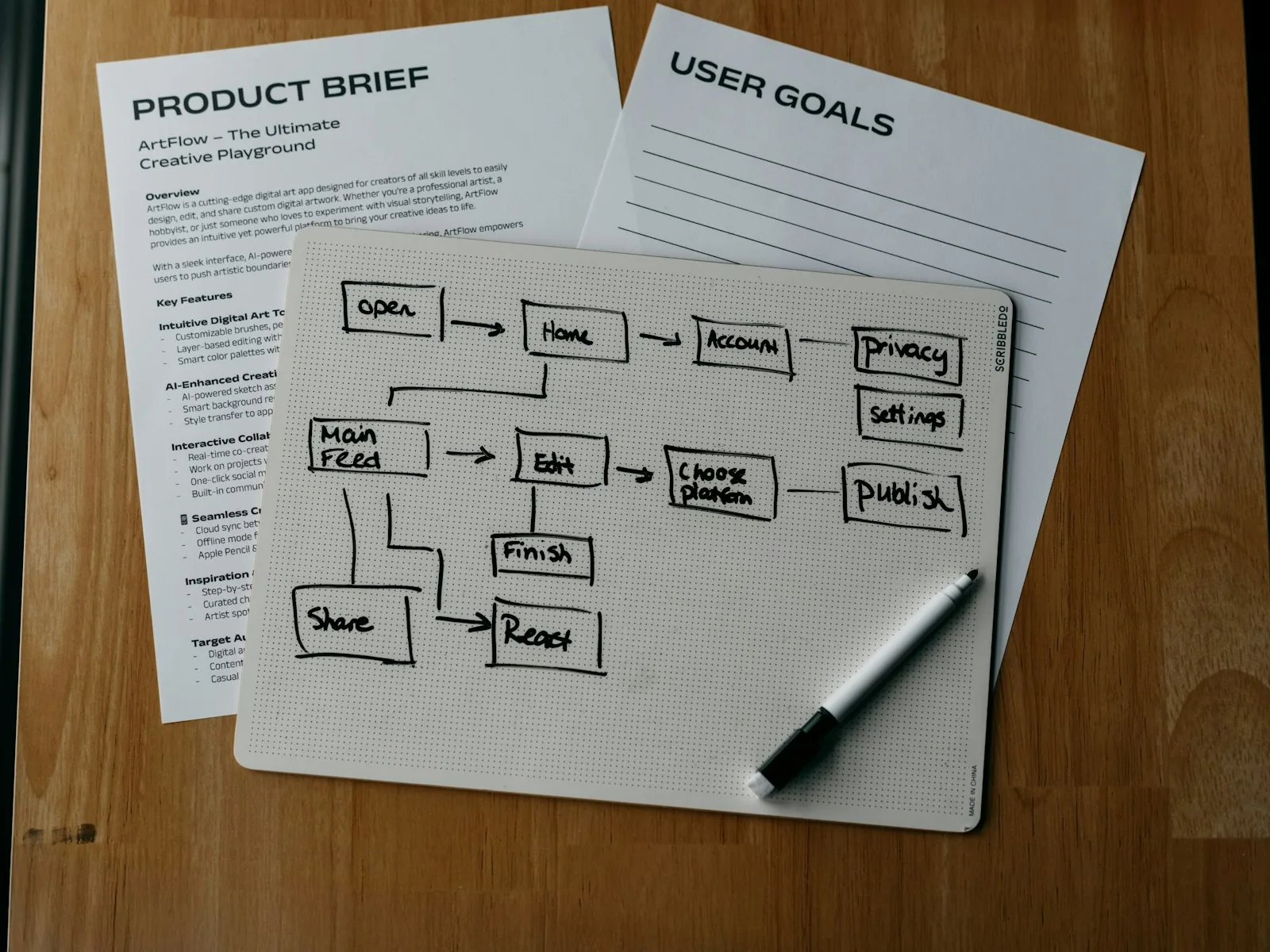
Which manual tasks are worth automating? We examine the workflow involving applications and assess benefits, effort and ongoing costs.
Define your first workflow and plan how to handle missing information.
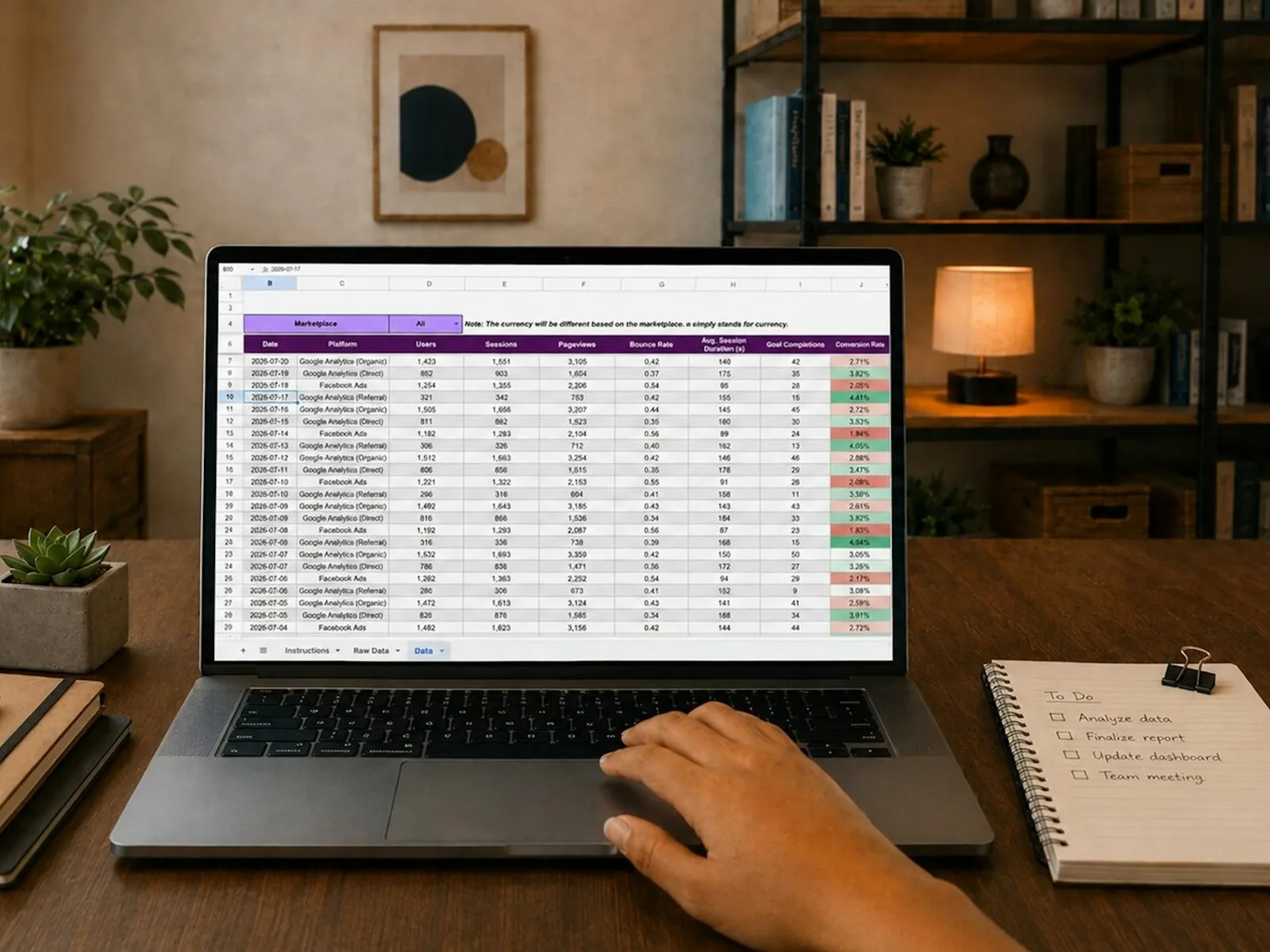
Synchronise contacts, products or order statuses between systems, with an authoritative source, defined field rules and traceable conflict handling.

Connect your application to an existing service for one agreed data type, with error handling and a documented handover.

We build a documented API for controlled reading and modification of one agreed data area in your application.

Move an agreed dataset to a destination system using documented rules, with a trial run, error report and record count reconciliation.
Check an import for lost information and incorrect mappings.

We regularly check and document your application’s technical condition during the agreed support period.
We set up a new Linux server for an existing Docker application, connecting the domain, HTTPS and a documented deployment process.

We configure backups for one application and restore a backup in an isolated test environment, checking the data and recovery process together.

We configure operating signals for one Linux host and up to three services, then test whether an agreed alert reaches the responsible person.
All prices are final prices. No VAT is charged under section 19 of the German VAT Act. Your selection is a non-binding enquiry, not an order.
0 results
Check a redirect's original purpose and destination before choosing a permanent status.
Read articleCheck which redirects preserve the method and form data. Test the flow with fictional submissions in an isolated environment.
Read articlePlan a 3D product configurator using a furniture range: selection rules, source data, software choice, enquiry handover and practical acceptance tests.
Read articleWhat is missing from your product presentation, and what would it cost? A calculation using assumed orders shows what determines the value of a 3D view.
Read articleA model, rendering, rotatable view or AR: narrow down the right product display and prepare the files, measurements and references.
Read articlePhotos, measurements or a CAD file: prepare your product for modelling and avoid follow-up questions about hidden details.
Read articleCan your traffic support three variants? Plan the comparisons and give each group the same follow-up time. A longer run cannot fix an unsuitable test plan.
Read articleTreat differences found after filtering as exploratory. Check sample sizes, how many comparisons were explored and when segment membership was defined.
Read articleChoose between A/B testing and usability testing by the decision you need to make: what each observes, compares and can establish.
Read articleCheck the randomisation unit, stable assignments and unexpected group sizes before interpreting an A/B or A/B/C winner.
Read articleMoving images to a new CDN? Match the original files, responsive versions and transformation parameters before changing their URLs.
Read articleHow long does your monthly report take? Include review, setup and tool costs, and resolve conflicting figures before adding another dashboard.
Read articleDoes your report count a click or a saved enquiry? Compare triggers, dates and tracking gaps with the shop system.
Read articleUpdates, errors and backups need clear owners. Separate routine upkeep, new development and operational support.
Read articleCan the available API create the record you need? Check fields, access rights and missing responses before connecting the systems.
Read articleCheck whether topic, tag and date archives help visitors choose what to read. A minimum word count cannot tell you that.
Read articleCheck triggers, retries and saved results before you restart a failed workflow.
Read articleDefine the steps, settle likely failure cases and prepare useful examples before building an automation.
Read articleCount recurring work, subtract checks and exceptions, then include setup and operating costs. A worked example for n8n, Make, Zapier and AI workflows.
Read articleMake it clear who wrote an article, who reviewed it and who answers questions. Publish only verified roles and profile details.
Read articleIs connecting your systems worth it? Compare manual data work with the cost of integration, maintenance and running the service. Examples cover APIs, portals and internal tools.
Read articlePlan the data, roles, interfaces and failure cases for a backend feature or application, using an approval workflow as an example.
Read articleA restore rehearsal brings the database, uploads, configuration and application back together. Plan the checks and assess what restarting the service requires.
Read articleIf an image downloads twice, compare its URL, responsive versions and request settings with the preload.
Read articleWhat remains from each order after a discount? A calculation using assumed values connects promotional costs to the additional orders needed.
Read articleWhat should be ready before a Black Friday campaign: product selection, discount rules, mobile purchase journeys, test orders and a plan for errors.
Read articleConnect a chosen class with its booking portal through clear expectations, destinations and feedback. Lessons from Hopen and medienkundig.
Read articleFor workshops, dog training businesses and rentals: enquiries, reservations and confirmed bookings need different processes.
Read articleInspect filenames, Cache-Control and repeat visits before delivering images, CSS or JavaScript as immutable.
Read articleConnect button labels, placement and destinations, with lessons from medienkundig, Hopen and our team’s e-commerce experience.
Read articleCheck where the canonical is generated, whether it sits in the HTML head and where its URL leads, including the hostname and fragment.
Read articleDoes your canonical point to a redirect? Follow it to the final page, then compare that URL with your internal links and sitemap.
Read articleCheck guest checkout from entry to confirmation: clear routes, recognised email addresses, cart preservation and optional registration.
Read articleUse accurate image dimensions and aspect ratios and inspect layout movement under slow loading conditions.
Read articleA higher recorded rate can accompany a change in who is observed. Check the population, collection start and modelling before comparing periods.
Read articleCould a changing traffic mix explain a lower conversion rate? Compare sources, sessions and purchases with a worked hypothetical example.
Read articleFrom visits to orders and contribution margin: calculate a shop improvement using your own figures before spending money on implementation.
Read articlePrepare a testable hypothesis: record the observation, explanation, variation, outcome, guardrails and evaluation plan before designing.
Read articleRecord what your analytics sends before a choice, after rejection, after consent and after withdrawal.
Read articlePlan shop-to-CRM synchronisation with stable IDs, field mapping, deletion and conflict rules, retries and acceptance checks. Includes an editable mapping template.
Read articleFollow a store order into the CRM and define data ownership, field mapping, webhooks, failure handling and a practical handover for your integration.
Read articleCompare CRO proposals by the actual work: clarify investigation, design, implementation, evaluation and handover before commissioning.
Read articleHow conversion optimisation works for services, with practical lessons from Hopen, medienkundig and a large e-commerce platform.
Read articleMore orders are not automatically more profitable: compare return windows, retained items and contribution using a worked example.
Read articleBuild a CRO roadmap around observations, dependencies and decisions. Separate repairs, research and experiments before scheduling work.
Read articleInspect encoding, delimiters, quoting and numeric values using a small file before importing real data.
Read articleCheck row counts, identifiers and relationships before a data import changes existing records.
Read articleRepeated clicks and missing feedback identify places to investigate. Check whether the clicks change a quantity, start a delayed download or target a misleading control.
Read articleFirst clarify what people do not understand on your page. Separate design, implementation and an assumed effect on orders or enquiries.
Read articleUse native HTML to show extra information on demand. Check labels, keyboard controls and what happens when the content opens.
Read articleHow to check OCR and AI results before transfer, with missing values, recognition errors and required approvals kept visible in the workflow.
Read articleDistinguish identical downloads from document versions and inspect PDF canonical response headers.
Read articleLocate a faulty path join without damaging protocols or globally rewriting valid URLs.
Read articleCheck whether a print URL duplicates the article or supplies a distinct document.
Read articleHow do buyers choose your products, and where can you reach them? Compare eBay and your own shop through your range, costs and ongoing work.
Read articleTurn a product idea into a clear Etsy listing, account for your working time and prepare for what happens after the first order.
Read articleFew visits and views without orders raise different questions. Understand the numbers and identify what your Etsy listing may leave unclear.
Read articleTurn a product question into useful content, distinguish Etsy Ads from Offsite Ads and weigh extra orders against the cost of attracting them.
Read articleDecide whether your own shop adds something useful to Etsy. Consider its purpose, how buyers find it, running costs and the extra work involved.
Read articleConnect titles, tags and product details in your Etsy listing so buyers can understand what they can order.
Read articleBring an external UX and development team into your product work with clear responsibilities, a practical weekly schedule and a handover your own team can use.
Read articleUsing the medienkundig recording, we explain how eye tracking reveals attention and helps you improve entry points, explanations and user journeys.
Read articleMake specialist language easier to understand in websites and web apps, with contextual help and lessons from medienkundig and Hundeschule Hopen.
Read articleWhat customers need to know before a repair appointment or bicycle purchase, and how local search terms lead to relevant pages for a bicycle shop.
Read articleDesign feedback that makes decisions understandable and leads to the next useful action, with lessons from medienkundig and Hundeschule Hopen.
Read articleA desktop design rarely covers everything developers need. Agree the content, mobile layout and the states of interactive elements before implementation.
Read articleCompare fallback and web-font metrics instead of treating font-display as a complete solution to layout movement.
Read articleShow which field needs correcting and check how people using a keyboard or screen reader can continue after submission.
Read articleTest required fields, error messages and the route back to an input without using real customer data.
Read articleHow retry keys, payload binding and atomic persistence keep repeated submissions from creating additional enquiries, with focused test cases.
Read articleGive every field a label that stays visible. Check its accessible name, its link to the input and what happens after someone starts typing.
Read articleCompare submissions, qualified enquiries and later sales for each test group. Give each group the same follow-up time and agree which business results to measure.
Read articleTo plan a website or web app, specify the page types, states, data and interactions.
Read articleAssess a new website or interface against a specific task. Learn which costs to include and whether to calculate using enquiries, orders or available working time.
Read articleFollow a transition between owned domains and inspect linker parameters, redirects and shared measurement configuration.
Read articleIf DebugView is empty, check the measurement ID, debug settings, consent and event requests before concluding that nothing is being recorded.
Read articleCompare automatic and manual page_view triggers and inspect events actually sent to one measurement ID.
Read articleCheck what happens when visitors return from an external service. Referral exclusions and cross-domain measurement solve different problems.
Read articleLong loading times or jerky interaction? Check geometry, textures and decoders separately, then compare the result on the actual shop page.
Read articleCompare declared and selected canonicals, crawl dates and conflicting signals in Search Console.
Read articleCheck case-sensitive paths before changing URL conventions, files or identifiers.
Read articleIs the server sending compressed HTML? Check the response and compare transferred bytes with the document’s size after decompression.
Read articleSeparate click positions by layout version, viewport and page state before treating a hotspot as interest in an element.
Read articleCheck reciprocal language links, reachable destinations and the distinction between canonical URLs and hreflang.
Read articleCheck the rate limit, wait before retrying and stop after an agreed number of attempts. Some requests should not be repeated.
Read articleRecord hostname and protocol changes to locate competing rules across an application, web server and proxy.
Read articlePuppy class, one-to-one training or adolescent group? Help visitors choose a course and give local searchers the information they need.
Read articleCompare a specific interaction with main-thread tasks and isolate external scripts in a test environment.
Read articleFind old links in navigation, content and templates, then verify the appropriate destination before replacing them.
Read articleKeep external campaign tracking separate from clicks inside your website. Use a specific event to measure an internal banner.
Read articleReview search URLs, indexing instructions and curated alternatives without exposing raw queries.
Read articleInspect the initial response and source HTML to distinguish server redirects, scripts and delayed meta refresh.
Read articleIs size guidance missing beside the selector? Examine a specific purchase task on a smartphone, then check the change along the same journey.
Read articleFollow a specific route to find where focus, variant selection or dialogs interrupt the journey.
Read articleWhat must work before the first use? Review a user journey including failure cases and record which technical questions remain afterwards.
Read articleWhat Google requires for AI Overviews, which product information helps and why individual AI answers do not establish rankings.
Read articleMaintaining the same form field in several places: choose shared building blocks, integrate them into a real journey and adopt them gradually.
Read articleDecide which statuses and documents customers can see, who keeps them up to date and how to check that access stays restricted.
Read articleA faster page has no fixed monetary value. Connect measurement, the affected user journey and implementation costs to build a calculation you can check.
Read articleConnect your reel and landing page: align the promise, first mobile screen, enquiry scope and the actual next steps.
Read articleA landing page focuses on an offer; a multi-page website supports different customer journeys. Decide the scope, content and connection to your existing site.
Read articleUpdate lastmod when the page’s content changes. Exporting the sitemap again is not a reason to reset every date.
Read articleFind the actual LCP element and check whether lazy loading or JavaScript delays discovery of its image.
Read articleDistinguish seasonal gaps, retired categories and failed product requests before choosing a response.
Read articleLocate empty exports and missing articles by comparing CMS queries, publication filters and the resulting URLs.
Read articleSeparate public results, login screens and protected records before setting indexing rules.
Read articleMasked inputs can leave an error’s cause unknown. Separate the visible sequence from assumptions and check functionality with synthetic data.
Read articleCompare site IDs and triggers when Matomo receives multiple similar tracking requests for one page visit.
Read articleCheck whether your Matomo configuration withholds only cookies or also tracking requests before consent.
Read articleDo your sitemaps list different URLs for the same pages? Find out where each file comes from so you can correct the source instead of a temporary export.
Read articleCompare one exact variant in the feed, on the product page and in structured data before overwriting values manually.
Read articleSeparate item IDs, variant families and manufacturer identifiers so a feed repair does not create new mapping errors.
Read articleDefine a small first workflow from form to CRM, include maintenance effort and decide what happens when something goes wrong.
Read articleRemoved noindex but still missing from Google? Compare the live response with Google’s saved crawl and the other indexing signals.
Read articlePrepare your UX interview guide with example questions, a worked research scenario and a free fillable PDF template for planning and analysis.
Read articleCheck whether your offer is clear, necessary information is accessible and the form explains the next step.
Read articleWhy an HTML meta tag cannot control a PDF and how to inspect the actual response headers of a public document.
Read articleCheck document applicability and final download content before redirecting an old PDF.
Read articleCheck which caches may store personal responses and what private and no-store mean, using the headers delivered to the browser.
Read articlePrepare a 3D product animation with a storyboard example, source-file checklist, cost factors and an editable briefing template.
Read articleA rotatable model is not worthwhile for every product. Decide based on the question your product presentation needs to answer.
Read articleBuild size guidance around clear body and product measurements: verify sources, methods, boundary cases and mobile selection.
Read articleCheck delivery information for the selected variant: stock, handling time, loading states and consistency through cart and checkout.
Read articleBuild product comparisons with consistent units and meaningful differences. Check variants, missing values and mobile decision-making.
Read articlePrepare a prototype for usability testing with the content, alternative routes and states needed to investigate your research question.
Read articleCompare the actual content of parameter URLs before changing canonicals, internal links or indexing rules.
Read articleTrace the rules that actually apply and check exceptions and circular destinations before switching configurations.
Read articleFind the right moment for registration: lessons from medienkundig and Hopen on trust, first use and continuing an activity.
Read articleTurn relative paths into complete sitemap URLs without duplicating the host or losing a subdirectory.
Read articleMap known old URLs to suitable destinations and separate unresolved cases before importing redirects.
Read articleDistinguish a crawling block from noindex, identify conflicting settings and check the correction without assuming a ranking result.
Read articleA missing robots.txt differs from a server failure. Inspect the status, content and hostname before editing crawling rules.
Read articleIdentify the font file actually used above the fold and avoid preloading unused styles or mismatched requests.
Read articleCategory, product or guide? Group search terms by buying intent and create a manageable content plan for your small online shop.
Read articleConnect website availability, application checks and server metrics with clear operational tasks, from a failed enquiry journey to growing storage use.
Read articleOffer accessories and bundles using reliable compatibility data: clarify included parts, variants, quantities and cart rules.
Read articleBuild shop filters from customer selection questions: define attributes, values, multiple selection and missing product data before design.
Read articleReview your Shopify purchase journey with a worked example: interpret the data, inspect product pages, the cart and checkout, and prioritise your findings.
Read articleMap filter addresses, default rules and intended search pages before modifying robots.txt.liquid.
Read articleFind links to the removed Shopify product, check whether a suitable replacement exists and test Shopify's redirect.
Read articleInspect pagination and real next-page links instead of relying solely on browser-side load-more behaviour.
Read articleProduct images, apps or theme code? A guide for small Shopify shops: measure the problem and compare before-and-after results under the same conditions.
Read articleVariants, sizes, delivery times and product images: review a Shopify product page on a smartphone and find specific purchase barriers.
Read articleDistinguish an active page, a reserved path and an incorrect redirect rule before changing product addresses.
Read articleInspect selected variants separately from canonical links to avoid treating every variant address as a new main product page.
Read articlePrepare a small redirect file, check whether source pages still exist and inspect actual responses after import.
Read articleImprove product search using concrete cases: distinguish catalogue data, indexing, synonyms, empty results and relevant matches.
Read articleDistinguish accidental preview-host exports from intentional cross-site sitemap management.
Read articleFind the right sitemap file, check its root element and trace a missing URL through the index.
Read articleFind redirected or outdated sitemap addresses and correct the generator instead of maintaining a one-off exported file.
Read articleCheck whether your server reports success for a missing page and identify which layer must correct the response.
Read articleCompare costs that will actually end, new recurring charges and the work needed to switch, using a clear balance and payback calculation.
Read articleCompare the declared image slot with the actual layout and inspect the resource selected by the browser.
Read articleCheck a test environment without signing in and preserve its access controls through domain and infrastructure changes.
Read articleDoes a sticky header cover the linked heading? Check anchor links, keyboard focus and enlarged text, then allow enough space at the destination.
Read articleFind hover-only interactions and inspect focus visibility, order and the actions actually reachable by keyboard.
Read articleMeasure the clickable area rather than the icon and distinguish WCAG minimum requirements from larger design targets.
Read articleUse a small set of test events to separate page views, clicks and confirmed actions, then locate duplicate triggers.
Read articleTrace opposing slash rules and align the layers without changing file or API routes blindly.
Read articleMap series instalments and test the reading route alongside individual redirects.
Read articleCompare encoded requests and server responses, including double encoding and reserved characters.
Read articleSeparate XML escaping from URL encoding and fix an invalid sitemap entry at its source.
Read articleRemove accidental fragment entries without breaking jump links or flattening hash-based routes.
Read articleWrite usability-test tasks with clear goals. Includes examples, success criteria and a free PDF worksheet for planning tasks and recording observations.
Read articlePrepare moderated remote usability testing: devices, test access, screen sharing, observers and a clear approach to technical interruptions.
Read articleCreate a manageable naming scheme for source, medium and campaign, then validate one complete campaign link.
Read articleCompare UX audits and usability tests: the evidence each produces, how to define scope and when combining them is useful.
Read articleDesign B2B software around role handovers, business states, interruptions and conflicts in the workflow.
Read articleImprove existing software around one workflow: preserve important rules and check the change with experienced users.
Read articleCommission UX Design with a concrete brief, useful outputs, clear responsibilities and a handover that fits your team.
Read articleDesign onboarding around the first useful task: distinguish essential setup, contextual help, drafts and returning after an interruption.
Read articleAgree which decision the UX engagement will support, what inputs it needs, what will be handed over and how extra work is handled.
Read articleWrite useful system messages by connecting the actual state, next action and accessible feedback throughout the flow.
Read articleEvaluate navigation with tree testing: clear categories, neutral tasks and evidence about paths through your service structure.
Read articleInterviews, user testing or a prototype: narrow down an open product decision before calculating a research budget or a supposed research ROI.
Read articleTurn UX findings into backlog work: prioritise consequences, evidence and dependencies, with a checkable outcome for each change.
Read articleFind suitable UX research participants with a recruitment brief, neutral screening questions, response paths and a practical invitation template.
Read articleImprove search in web apps with recognisable records, useful results, visible filters and distinct empty and error states.
Read articleHow to translate people’s experiences into useful product requirements, with lessons from medienkundig and Hundeschule Hopen.
Read articleMake websites and applications easier to understand through clear tasks, reliable transitions and lessons from medienkundig and Hundeschule Hopen.
Read articlePlan the move from Etsy to your own shop, including product data, variations, existing orders and a complete trial of the buying and fulfilment process.
Read articleAvoid double sales by matching product variations, assigning ownership of stock and defining what happens after an order, reservation, cancellation or return.
Read articleMake cart shipping calculations understandable: check missing inputs, estimates, free-shipping thresholds and subsequent checkout changes.
Read articleTwo agency quotations become comparable when pages, content, functions and recurring costs match. Find the differences before commissioning the work.
Read articleWhether you use a builder yourself or commission implementation, test who handles content, functions and maintenance, and what can be exported, on a real sample page.
Read articleA web design brief need not be a formal specification. Use this working outline to connect customer tasks, content and open decisions with the scope you need.
Read articleWhich photographs does your business website need? Define subjects, crops and image information through the purpose of each page.
Read articleUse the event identifier and a saved processing status to recognise a repeated webhook and avoid carrying out the same action twice.
Read articleAn agency handover involves more than a CMS password. Map systems, ongoing duties and the changeover so website operations can continue with clear ownership.
Read articleFrom four additional enquiries to one assumed contract: a worked example with closing rate, net contract value and the costs of changing a website.
Read articleChoose a CMS through real editing tasks. Test roles, templates, preview and export with the people who will maintain the site.
Read articleAn access inventory shows who manages the domain, hosting and CMS, which working permissions are needed and how lost access can be recovered.
Read articleWhat does a website cost? Two EUR calculations explain design, development, forms and maintenance, with an editable budget and quotation comparison worksheet.
Read articleEvery existing item needs a relaunch decision: retain, revise, combine or remove. Build an inventory that makes the content work manageable.
Read articlePlan your contact form from receipt to the first reply. Connect fields, ownership and feedback to a specific task in handling the enquiry.
Read articleAn English homepage alone is not enough. Plan the pages, forms, updates and contacts needed for a complete enquiry journey in the additional language.
Read articleA new look does not always require a new system. Examine content, technical constraints and the changes needed before commissioning a rebuild.
Read articleBefore launch, check real website flows rather than screenshots alone. Define responsibilities, test cases and a clear list of outstanding issues.
Read articleOne page per service or a single overview? Decide through customer questions, meaningful differences and the next action rather than keyword counts.
Read articleWriting after the layout often leaves key decisions unresolved. Prepare your offer, selection questions and real content before fixing the design.
Read articleWhat does website maintenance mean in a quotation? Clarify tasks, response, approval and allowances before assuming ongoing support covers everything.
Read articleTrace language-specific destinations and distinguish mapping faults from automatic language changes.
Read articleReview destination hosts, further redirects and responsibility for each destination before releasing a mapping.
Read articleTranslate old search parameters to the new interface without retaining sensitive URL values.
Read articleRecord intermediate redirects and preserve language, parameters and final content when shortening a chain.
Read articleInspect stock, backorders and catalogue visibility separately when a WooCommerce product disappears from listings.
Read articleChoose a WooCommerce variation and follow it from the product page to the basket. Check that the selected options and product image still match.
Read articleIsolate theme, plugin and server output when one WordPress page carries multiple indexing instructions.
Read articleYour WordPress website is live but missing from search? Find out whether a setting left over from development is still preventing indexing.
Read articleCompare services for API connections, data synchronisation, server setup, backups and monitoring. Find the right starting point for your applications and team, and understand how initial setup and ongoing support work together.

System integration is about how your applications work together: an enquiry needs to reach the CRM, product data needs to agree across the store and inventory system, or a completed job needs to trigger the next task. System administration provides the technical foundation, including a configured server environment, clear access arrangements and a managed release process.
The result you need helps you choose a service. Extending an existing connection calls for integration work. Running an application on a server or handing over its operation calls for setup and administration. When the two are connected, we organise the tasks as one project.
An API describes how applications exchange data and call functions. A webhook tells another system that something has happened, such as a new order. Regular data synchronisation adds further rules: which system holds the authoritative version, how changes are identified and what happens if the same operation arrives again.
The integration service suits connecting an existing application to an available service. Ongoing synchronisation is the more relevant starting point when data needs to stay aligned across systems. The individual service pages explain the included work and show the current prices.
A web service needs the application, database, domain and access arrangements to work together. Server setup establishes which services run on the system, where their data is stored and how a new version is released. Linux and Docker can provide the foundation for running the application with a documented configuration.
The server setup service configures a new Linux host for an existing Docker application. If you already use a server environment, a technology and stack review first establishes its structure and dependencies so that subsequent changes can build on that existing setup. Configuration and operating steps are documented for handover to the person responsible for ongoing maintenance.
Restoring an application depends on knowing which data and settings belong to it. The database, uploaded files and configuration need to be backed up in a form that supports rebuilding the service. A restore test in a separate environment checks whether the required parts work together and establishes the steps needed to resume operation.
Backup and restore setup is appropriate when that process needs to be established for an existing environment. Technical support reviews existing backups and operational signals within the agreed scope. This lets you choose setup and continued maintenance separately or plan them as a connected process.
A reachable server alone says little about whether a form submits or an integration transfers data. We therefore discuss the signals that matter in the context of your actual workflow. The monitoring setup service starts with one host: it tracks CPU, RAM and disk space, adds up to three HTTP or container checks and connects up to five alert rules to one email channel. That makes it clear which message reaches whom and which part of the system needs attention.
Monitoring setup establishes that foundation; technical support builds on existing signals, backups and a suitable test environment. For updates, we establish how changes are checked and released and how a previous version can be restored. Monitoring, maintenance and recovery then become parts of the same operational process.
Arad is your contact at SAND & MEHR for system integration and system administration. For the first conversation, bring the applications involved, an example of the current workflow and the result you want. For existing infrastructure, hosting, data storage and current operational responsibility are also relevant.
The services distinguish between investigation, setup and ongoing support so you can start at the appropriate point. We discuss the tasks we will take on and how we will work with your team or existing providers. That provides the basis for agreeing on access, testing, implementation and handover.
Tell us what you want to improve and which system you use. Together, we can find the right starting point and discuss the next steps.
Discuss your project